

Video content is everywhere in 2026 — from TikTok to YouTube to business marketing. But creating videos still feels complicated for most people. That’s where tools like FlexClip come in.
FlexClip promises to make video creation simple, fast, and accessible — even if you’ve never edited a video before. With built-in AI tools, templates, and drag-and-drop editing, it’s clearly targeting beginners and creators who want results quickly.
But does it actually deliver? Or is it just another “easy” tool that falls short when you need something more advanced?
Key features

- Drag-and-Drop Video Editor – Simple interface that’s easy to learn in minutes
- AI Video Generator – Turn text into videos automatically
- Templates Library – Thousands of templates for social media, ads, and presentations
- Stock Media Access – Built-in library of videos, images, and music
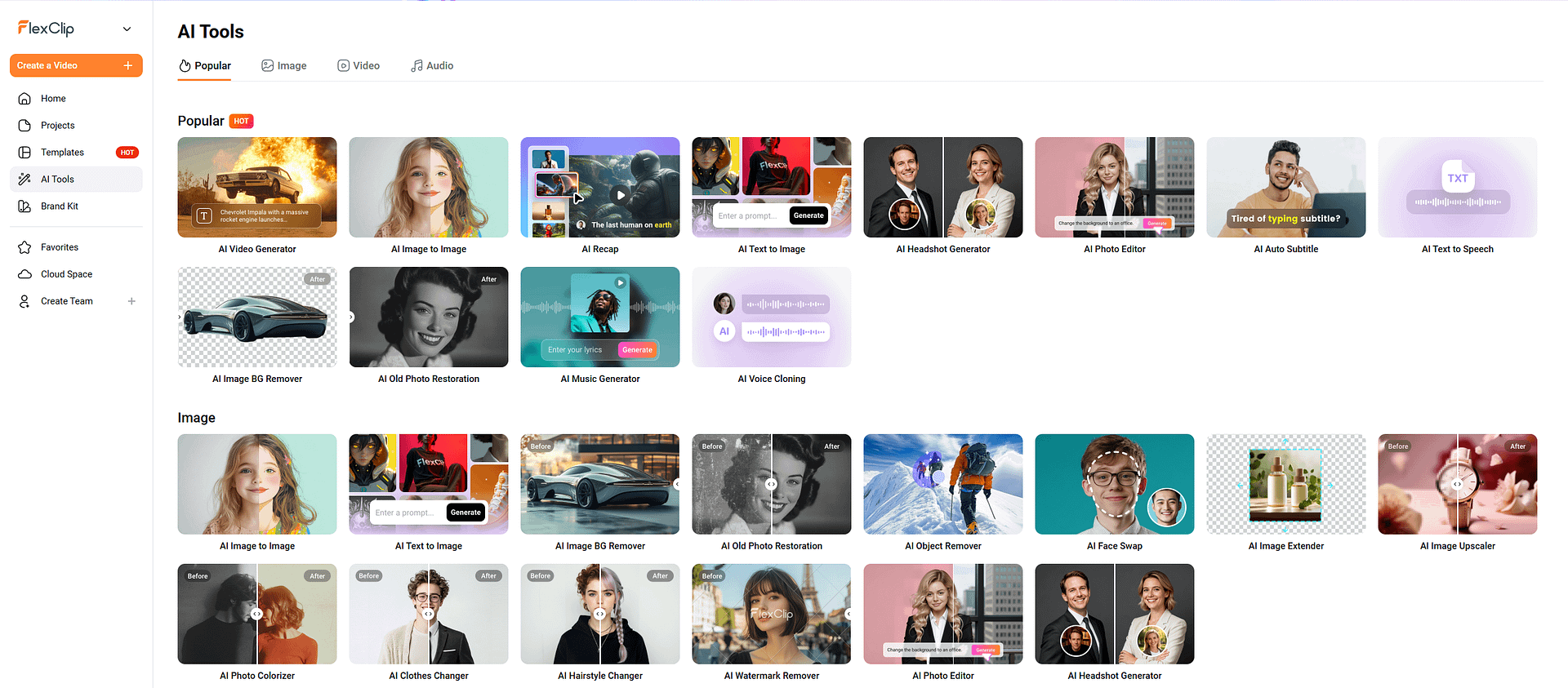
- AI Tools – Includes text-to-speech, auto subtitles, background removal, and script generation
- Cloud-Based Editing – No downloads needed, works directly in your browser
Pros and cons
Pros
- Extremely beginner-friendly interface
- Fast video creation with templates and AI tools
- No software installation required
- Affordable pricing compared to professional tools
- Great for social media content
Cons
- Limited advanced editing features
- Not ideal for professional video production
- Export quality and customization can feel restricted
- Some assets locked behind paid plans
Overview of FlexClip
FlexClip is an online video editor developed by PearlMountain, designed with one clear goal: make video creation accessible to everyone. Unlike traditional software like Adobe Premiere Pro or Final Cut Pro, FlexClip removes complexity and focuses on speed and ease of use.
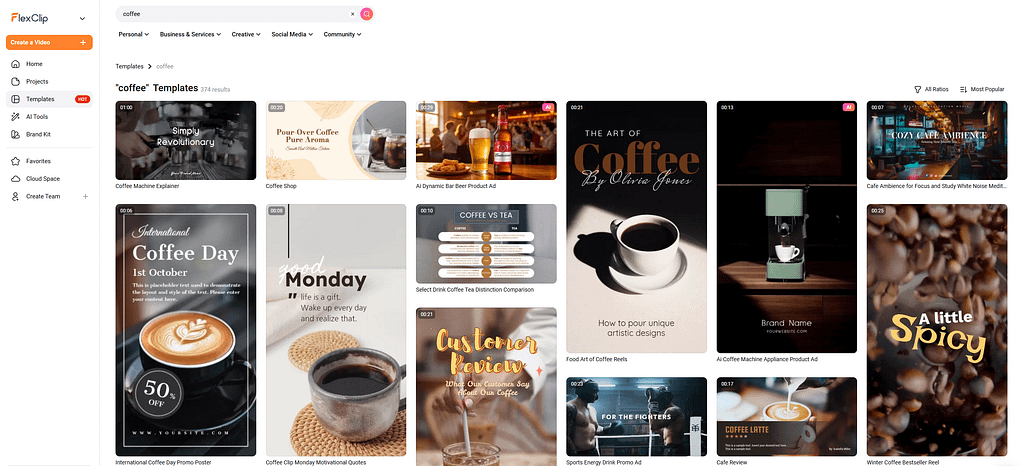
What makes FlexClip stand out is how quickly you can go from idea to finished video. You don’t need editing experience — you simply pick a template, customize text and visuals, and export. The learning curve is practically nonexistent, which is a huge advantage for beginners, marketers, and small business owners.
Over time, FlexClip has evolved beyond just a simple editor. It now includes a growing suite of AI-powered tools, such as text-to-video generation, automatic subtitles, and AI voiceovers. These features aim to automate the most time-consuming parts of video creation.
However, this simplicity comes with trade-offs. FlexClip isn’t trying to compete with professional editing software. Instead, it sits in a different category — somewhere between Canva and basic video editors — where speed and convenience matter more than precision.
In short, FlexClip feels less like a traditional editor and more like a content creation tool designed for the modern internet.
Performance & capabilities
FlexClip isn’t benchmarked like AI models, but its performance can be judged by usability and output quality.
Speed
Ease of use
FlexClip is built for speed — and it shows. From login to export, you can realistically create a finished video in under 10–15 minutes, especially if you’re using templates.
This is where FlexClip really shines. The interface is intentionally minimal, with a drag-and-drop system that feels intuitive even for first-time users.
AI tools
Rendering
FlexClip has been steadily adding AI features, and while they’re not as advanced as standalone AI platforms, they’re very practical for everyday use.
Since FlexClip is cloud-based, rendering happens online — which has both advantages and limitations.
- Export speeds are generally fast and reliable
- Supports up to 4K HD (depending on plan)
- Output quality is good for social media and web use
- Limited control over advanced export settings (bitrate, codecs, etc.)
FlexClip is optimized for speed, simplicity, and accessibility, not precision or professional-grade editing.
If your goal is fast, clean, and easy video creation, it performs extremely well
If you need advanced editing, cinematic control, or professional workflows, it falls short
In the current landscape, FlexClip sits comfortably between:
– Canva (design-first simplicity)
– CapCut (creator-focused power)
Pricing & availability
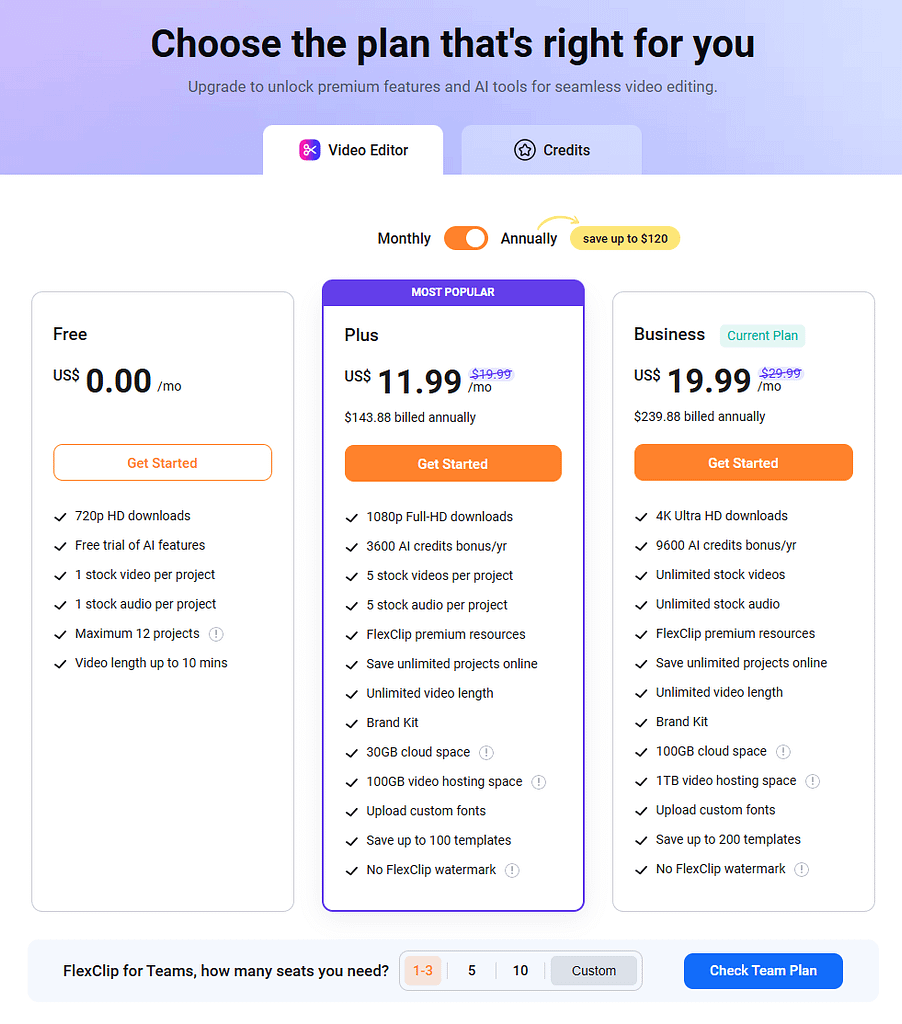
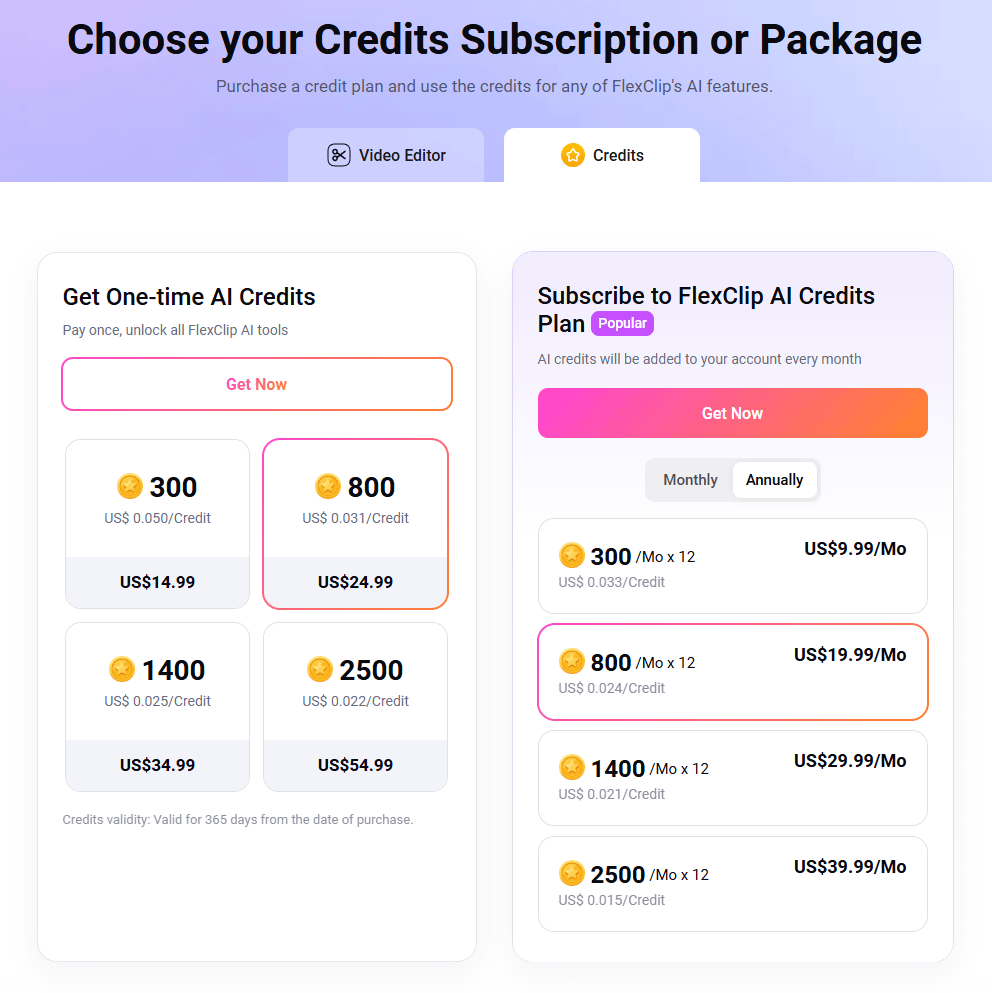
FlexClip runs entirely in your browser, making it accessible on any device without installation.
Best use cases
- Social Media Content → TikTok, Instagram Reels, YouTube Shorts
- Marketing Videos → Ads, promos, product showcases
- Business Presentations → Slideshows and explainer videos
- Beginner Creators → Anyone new to video editing
- Quick Content Production → Fast turnaround projects
Comparison to alternatives
| Tool | Strengths | Weaknesses | Best For |
|---|---|---|---|
| FlexClip | Easy to use, fast, AI tools | Limited advanced editing | Beginners & marketers |
| Canva Video | Better design tools, branding | Less video-focused | Social media & design-heavy work |
| CapCut | Powerful editing, mobile-first | More complex | Content creators & influencers |
| Adobe Premiere Pro | Professional-level editing | Steep learning curve | Advanced video editors |
Example of video creation
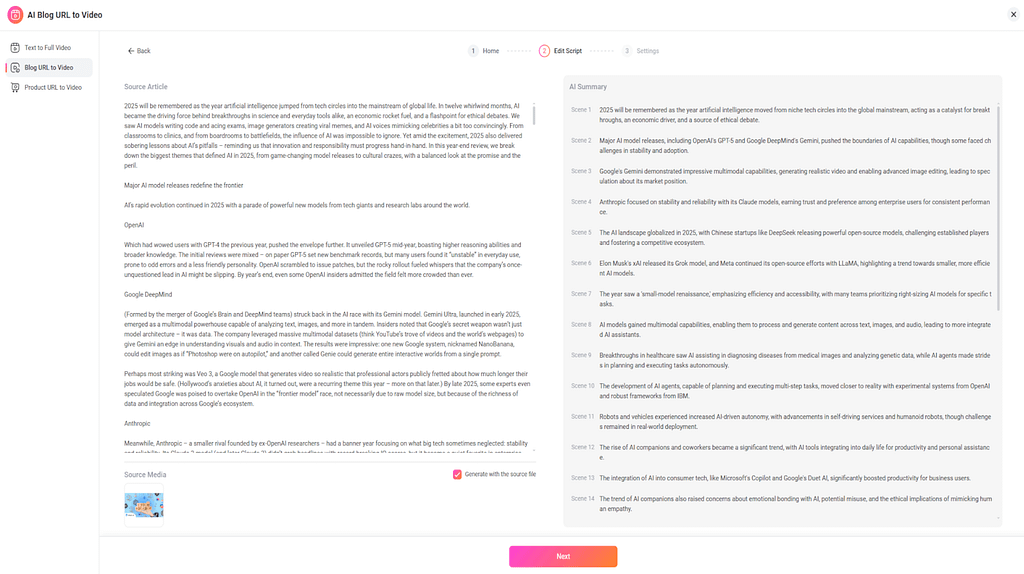
To really test how powerful (and simple) FlexClip is, I tried creating a video using one of our own articles — the 2025 AI Recap post.
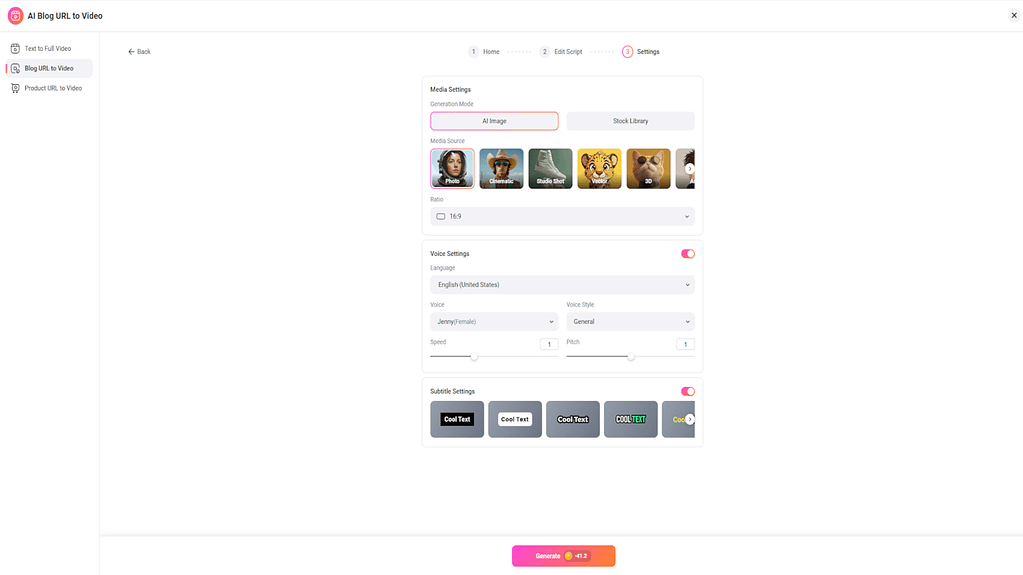
The result was honestly surprising. With just three clicks, I had a complete video ready to publish. No editing, no timeline tweaking, no manual adjustments.
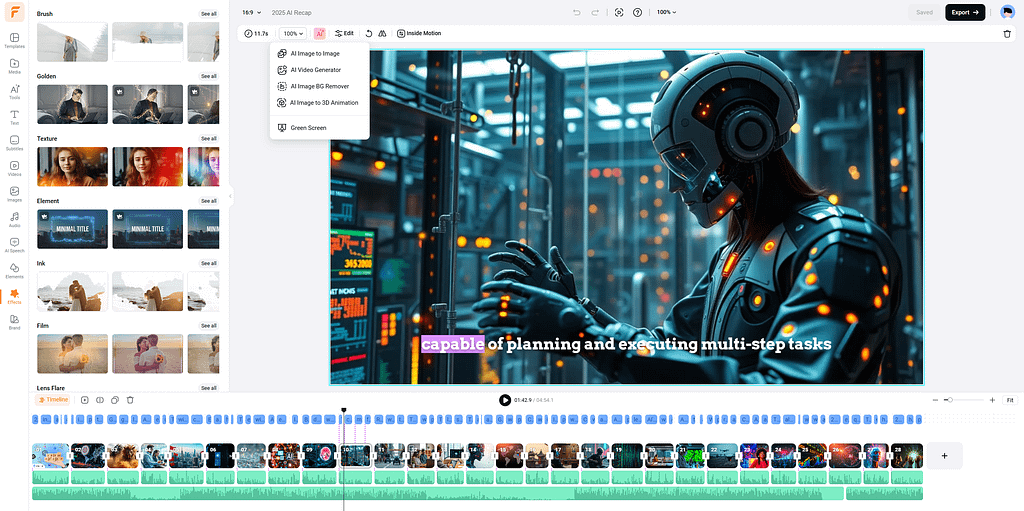
FlexClip automatically:
- Generated a video script from the article
- Added a voiceover
- Created subtitles
- Inserted relevant visuals and images
- Applied transitions and structure
Within a few minutes, the entire video was done — something that would normally take at least an hour (or more) in traditional editing software.
👉 Watch the generated video here: https://www.flexclip.com/share/15642594xgwLqEMO1d9WmoTZIssonkpoRHPRoalP.html
What stands out most is how effortless the process feels. There’s no need to think about timing, cuts, or design — FlexClip handles everything for you.
Of course, you can still go in and customize the video if you want, but the fact that you don’t have to is what makes this tool so powerful.
This is exactly where FlexClip shines: turning written content into ready-to-publish videos in minutes, with zero editing required.
Final verdict
FlexClip is one of the easiest ways to create videos in 2025. It removes the technical barriers and lets anyone produce decent-looking content in minutes.
It’s not meant for professionals — and that’s okay. Instead, it shines as a fast, beginner-friendly, AI-powered video tool for everyday creators and businesses.
If you need quick, simple, and affordable video creation, FlexClip is a great choice. If you want full creative control and advanced editing, you’ll eventually outgrow it.
Leave a Reply