
If you’ve spent any time coding in the past year, chances are you’ve heard of Blackbox AI. Originally known for its “code from video” feature, Blackbox has rapidly evolved into a full-fledged AI coding assistant used by millions of developers.
In 2026, the competition is fierce — GitHub Copilot, ChatGPT, and Claude are all pushing into developer workflows. So where does Blackbox AI stand today? Is it just a niche tool, or a serious alternative to the big players?
Key features

- Code Autocomplete – Real-time suggestions directly in your IDE
- Code Search Engine – Search millions of code snippets instantly
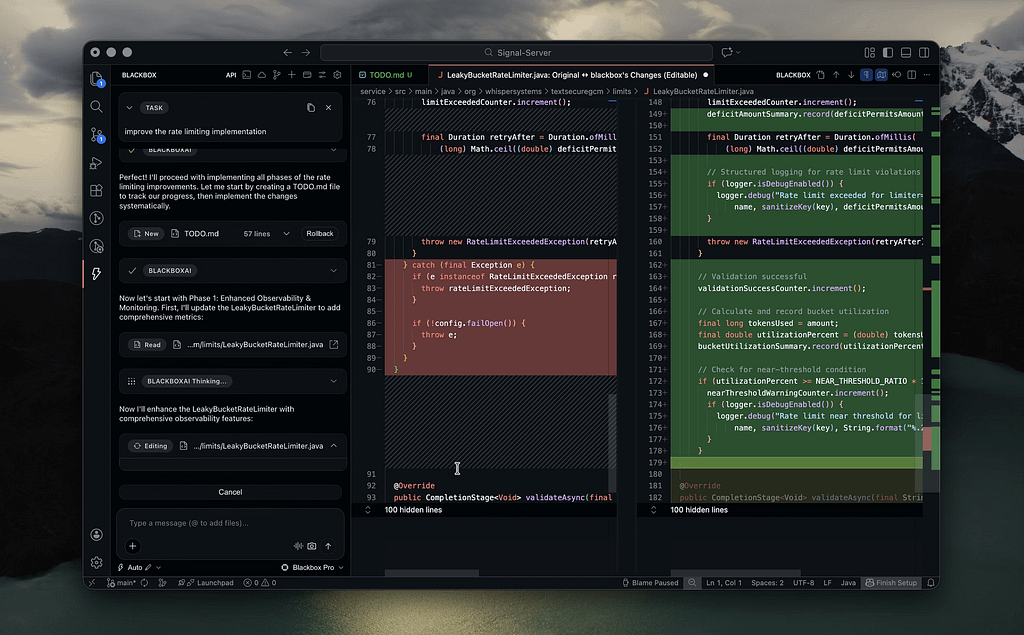
- AI Chat for Developers – Ask coding questions and get structured answers
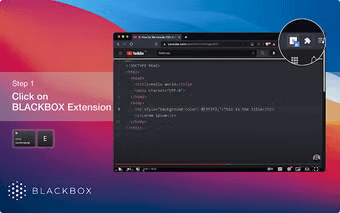
- Code Extraction from Videos – Convert coding tutorials into usable code
- Multi-Language Support – Works with Python, JavaScript, C++, and more
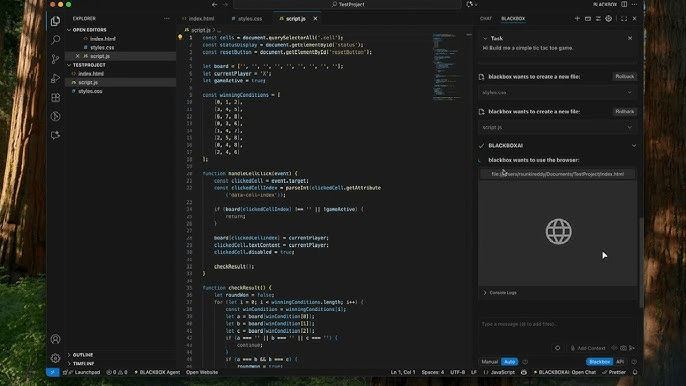
- Browser + IDE Integration – Available as a Chrome extension and in dev environments
Pros and cons
Pros
- Excellent for finding and reusing real-world code snippets
- Fast and lightweight compared to larger AI tools
- Unique “code from video” functionality
- Works well alongside other tools (not just standalone)
- Free tier is quite usable
Cons
- Less powerful reasoning compared to GPT-5 or Claude
- UI and experience can feel less polished
- Not as strong for complex architecture or system design
- Relies heavily on existing code rather than deep generation
Overview of Blackbox AI
Blackbox AI started as a simple but clever idea: what if you could extract code directly from videos? This feature alone made it popular among developers watching YouTube tutorials and online courses. But since then, the platform has grown into something much bigger.
In 2026, Blackbox AI positions itself as a developer-first AI tool. Unlike ChatGPT or Gemini, which try to be general-purpose assistants, Blackbox is laser-focused on coding. Its strength isn’t just generating code — it’s helping developers find, reuse, and adapt existing solutions quickly.
This makes it feel fundamentally different. Instead of “thinking like a genius engineer,” Blackbox often acts like a supercharged Stack Overflow + search engine + autocomplete tool. And for many developers, that’s exactly what they need.
Another key advantage is speed. Blackbox doesn’t try to overcomplicate things with heavy reasoning layers. It’s fast, responsive, and works directly inside your workflow — especially through browser extensions and IDE integrations.
However, this focus also reveals its limitations. When tasks require deeper reasoning, architecture decisions, or complex debugging, tools like GPT-5 or Claude still have the edge. Blackbox is more about efficiency and convenience than deep intelligence.
Overall, Blackbox AI feels like a practical tool built for real-world coding, rather than a showcase of cutting-edge AI research.
Performance & capabilities
Blackbox AI isn’t benchmark-driven like large language models, but its real-world performance can be evaluated in practical terms:
- Code Retrieval – Extremely fast and accurate for common tasks
- Autocomplete – Solid, though slightly behind Copilot in prediction quality
- AI Chat – Useful for quick answers, but not as deep as GPT-5
- Workflow Integration – One of its strongest advantages
Compared to competitors:
- Faster than ChatGPT for quick snippets
- Less intelligent than GPT-5 for complex reasoning
- More search-oriented than Copilot
Pricing & availability
- Free Plan
- Basic autocomplete
- Limited AI chat
- Access to code search
- Premium Plan (~$9–$20/month)
- Unlimited usage
- Faster responses
- Enhanced AI features
- Availability
- Chrome extension
- Web app
- IDE integrations (varies by editor)
Blackbox AI is widely accessible and easy to start using, especially compared to more complex developer tools.
Best use cases
- Quick Code Snippets → Finding working examples fast
- Learning & Tutorials → Extracting code from videos
- Frontend Development → Reusable UI components
- Debugging Help → Quick fixes and suggestions
- Productivity Boost → Speeding up repetitive coding tasks
Comparison to alternatives
| Tool | Strengths | Weaknesses | Best For |
|---|---|---|---|
| Blackbox AI | Fast search, real-world code snippets | Limited deep reasoning | Developers needing quick solutions |
| GitHub Copilot | Best autocomplete, IDE integration | Less flexible outside IDE | Daily coding workflows |
| ChatGPT-5 | Advanced reasoning, debugging | Slower for quick snippets | Complex problem-solving |
| Claude 3.5/4 | Clear explanations, safe outputs | Less optimized for coding speed | Learning & documentation |
Final verdict
Blackbox AI isn’t trying to be the smartest AI — and that’s exactly why it works.
It excels at what developers actually do every day: searching for code, reusing solutions, and moving fast. In that sense, it’s one of the most practical AI tools available in 2026.
However, it’s not a replacement for more advanced AI models. If you need deep reasoning, architecture design, or complex debugging, tools like GPT-5 or Claude are still ahead.
But as a productivity tool for developers, Blackbox AI absolutely earns its place in your toolkit.
Leave a Reply