
Unlike standalone AI tools built for narrow tasks, AI platforms are flexible systems designed to handle a range of needs. They allow businesses to automate actions, process information, create content, and connect outputs to existing tools like Slack, Salesforce, or Notion.
Think of a solo founder using AI to send follow-ups and label support tickets. Or a global company auto-analyzing customer feedback across languages and channels. AI platforms adapt to the use case — from tactical automation to high-level strategic insight.
What is an AI platform?
An AI platform is a software product that gives you access to multiple AI capabilities in one place — things like generating content, automating tasks, analyzing data, chatting with customers, or even taking voice calls.
The difference between an AI platform and a standalone tool is flexibility. Tools are often built for narrow, single-use cases. Platforms, on the other hand, allow you to customize inputs, chain together outputs, and integrate them into your team’s existing stack — Slack, Salesforce, Gmail, Notion, or Stripe.
Use cases vary widely depending on the platform. A solo founder might use an AI platform to write sales emails, follow up with leads, and auto-tag customer questions. A mid-size marketing team might use one to generate content at scale, translate it, and update their CMS.
Larger organizations might use AI to route tickets, analyze support data, or enrich millions of CRM records on autopilot. AI platforms let you move faster, remove manual grunt work, and shift your focus toward higher-leverage thinking.
To compile this list, I considered platforms that cater to different categories. Let’s explore them next.
AI platform categories covered
This list breaks down AI platforms into functional categories to help teams find what fits their work:
Content generation: Tools focused on writing, visual creation, and multimedia output.
Examples: Jasper, Copy.ai, Synthesia
Coding assistants: Developer tools that write or debug code, often within the IDE.
Examples: GitHub Copilot, Cursor
Customer support: Platforms that respond to customers via chat or voice, pulling from your internal docs.
Examples: Intercom, Lindy, Vapi
Automation & integrations: Systems that trigger workflows across tools when specific conditions are met.
Examples: Zapier, Make
Analytics & decision-making: AI models that help explain trends and guide strategy with natural-language insights.
Examples: Obviously AI, Tellius
Voice & image processing: Platforms for media creation — from AI-generated art to voiceovers.
Examples: Descript, Midjourney
Multimodal & generalist AI: These support multiple input types — from PDFs to voice — and offer wide-ranging utility.
Examples: ChatGPT, Claude, Perplexity
Enterprise frameworks: Infrastructure-grade platforms tailored for large teams with custom data and deployment needs.
Examples: Azure AI, Amazon Bedrock, Google Vertex
AI platforms are becoming the nerve center for businesses looking to scale smarter. Whether you’re drafting content, automating support, or surfacing insights from data, there’s likely an AI platform built to handle it — or one you can customize to fit. The right choice comes down to what your team needs to streamline today and scale tomorrow.
- Perplexity –– best for real-time research and fact-checked answers
- Jasper –– best for consistent branding and marketing content at scale
- Copy.ai –– best for fast marketing copy and product messaging
- Notion AI –– best for writing, summarizing, and organizing inside your workspace
- Grammarly –– best for real-time writing feedback and tone correction
- ChatGPT –– best for all-purpose brainstorming, writing, and logic-based tasks
- Claude –– best for thoughtful writing, document reasoning, and context-heavy tasks
- Cursor –– best for coding inside an AI-native IDE
- Synthesia –– best for turning scripts into polished videos with AI avatars
- Lindy –– best for automating complex workflows with custom AI agents
Let’s understand each of these tools in detail and see what tests I ran with them.
1. Perplexity – best for real-time research and fact-checked answers
Perplexity is a smart, AI search assistant that answers questions, shows its sources, and keeps things concise. It is like a research partner who shows you the right links, explains them in plain English, and doesn’t waste your time.
I’ve used it for things like sourcing up-to-date stats, comparing product features, and checking the latest news on AI regulation. You can technically do all these tasks using Google, but it’s faster and more digestible here. It pulls from credible sources, cites everything in line, and lets you dig deep with the source links.
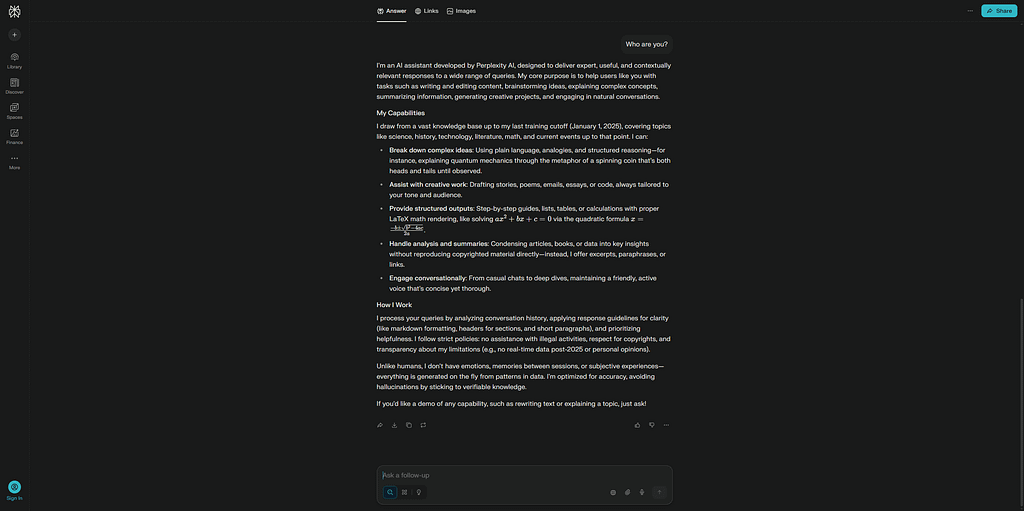
Perplexity’s Deep Research is a brilliant tool to help you research a topic in depth. It takes around 10-15 minutes to give you the complete results, but it’s totally worth it.
What’s underrated about Perplexity is how good it is at follow-up. You can ask something like, “Claude Opus 4.1 vs. LLaMA 4 Maverick: Which AI Model Reigns Supreme in 2025?” and then follow up with, “What about for coding?” — it’ll keep the thread going intelligently.
It’s not a “do-anything” tool like ChatGPT or Claude, but it’s one of the most efficient tools I’ve used for research and reading-heavy workflows.
Key features
- Real-time web results with in-line citations
- Follow-up Q&A with persistent context
- File and image upload for context-aware queries
- iOS, Android, and browser extensions available
Pros
- Fast, reliable info without hallucinations
- Perfect for research, sourcing, and quick comparisons
- Includes free daily access to Pro models
Cons
- Not for tasks like writing or automation
- Some answers can still oversimplify nuanced topics
- Fewer customization options than larger assistants
Pricing
- Free plan: 3 Pro model queries per day
- Pro plan: $20/month
- Enterprise: $40/month per seat with admin tools and API access
2. Jasper – best for consistent branding and marketing content at scale
Jasper is an AI software built for marketers. It’s not just about generating content fast — Jasper is about staying on-brand, keeping the voice consistent, and scaling creative output.
What stood out most was its Brand Voice feature. You feed Jasper examples of your tone and messaging — emails, blog posts, social copy — and it learns how to match that across different formats.
We asked Jasper to write a blog after setting all the parameters –– brand voice, topic, outline, and resources. It took a while and generated a decent response that needed minimum edits.
The interface is clean, it has prebuilt workflows –– blog outlines, email campaigns, product descriptions, SEO content, and so on. You can also collaborate with teammates in real-time and leave feedback.
It makes sense if you’re running campaigns, managing a content pipeline, or juggling multiple client voices. However, it’s not cheap and won’t replace strategic thinking. It’s a production tool, not a strategy engine.
Key features
- AI trained on your brand voice
- Campaign workflows for blog, social, email, ads
- Team collaboration with version control and comments
- Built-in plagiarism checker and SEO mode
- API and CMS integrations
Pros
- Great for scaling consistent content across channels
- Workflow templates save time on repetitive tasks
- Reliable output quality when Brand Voice is dialed in
Cons
- You still need to guide it — it won’t know your strategy
- Pricey for small teams or casual users
- Can feel rigid outside marketing use cases
Pricing
- Creator (1 seat): $49/month
- Pro (teams): $69/seat/month
- Business: Custom pricing with advanced controls, SSO, analytics
3. Copy.ai – best for fast marketing copy and product messaging
Copy.ai uses AI to help you write something punchy — like a product description, ad variant, or value prop test and create AI workflows mostly around content and marketing. It’s a marketing sidekick that helps you go from idea to publishable copy in a few clicks.
The new Workflows feature helps you string together prompts like “summarize this”, “turn it into a headline”, “write a follow-up email,” and then run them on your entire lead list or campaign batch.
For example, we created a two-step sequence that took the content brief from me and turned it into mega blogs, with 15-20 sections in it. It took around 10 minutes for it to generate the entire blog but saved me hours.
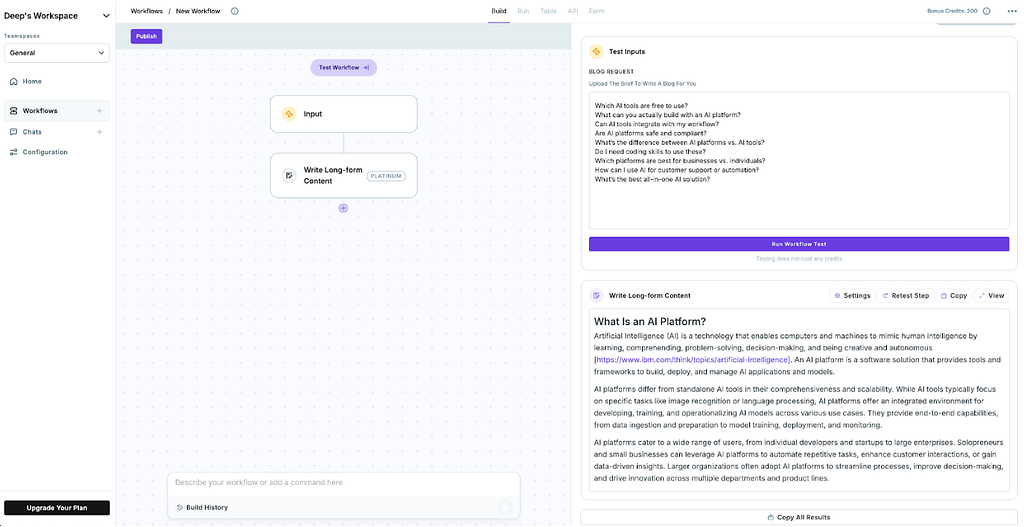
It also comes with hundreds of prebuilt and editable templates — LinkedIn posts, A/B test copy, product launches, and landing page sections. The tone sliders like bold, witty, or persuasive, are surprisingly good for dialing in the right feel without needing a brand brief.
It’s best suited for marketing, sales, and growth teams that need volume and variety without worrying too much about long-form content or heavy editing.
Key features
- AI workflows for batch content generation
- Pre-built templates for 100+ content types
- CSV import for bulk personalization
- Collaboration tools and saved copy history
- Zapier and HubSpot integrations
Pros
- Fast to use and easy to train new teammates on
- Great for short-form and high-variation messaging
- Workflows are powerful for scaling outbound and lead-gen
Cons
- Long-form blog content isn’t its strength
- UI can get cluttered with too many templates
- You’ll still need to check the tone and accuracy
Pricing
- Free plan: Up to 2,000 words/month
- Starter plan: $49/month, unlimited words, 1 seat
- Advanced: $249/month, up to 5 seats
4. Notion AI – best for writing, summarizing, and organizing inside your workspace
Notion AI is the most invisible AI baked into Notion for docs, wikis, or project planning. The AI layer quietly makes things easier. You’re not switching tools, not pasting between tabs. It helps you think faster, draft cleaner, or organize a mess.
We’ve used it to summarize meeting notes, clean up brainstorming notes, and draft first-draft outlines for internal docs. It’s fast and context-aware. You highlight some text, hit “summarize” or “improve writing,” and it tightens things up without losing your tone.
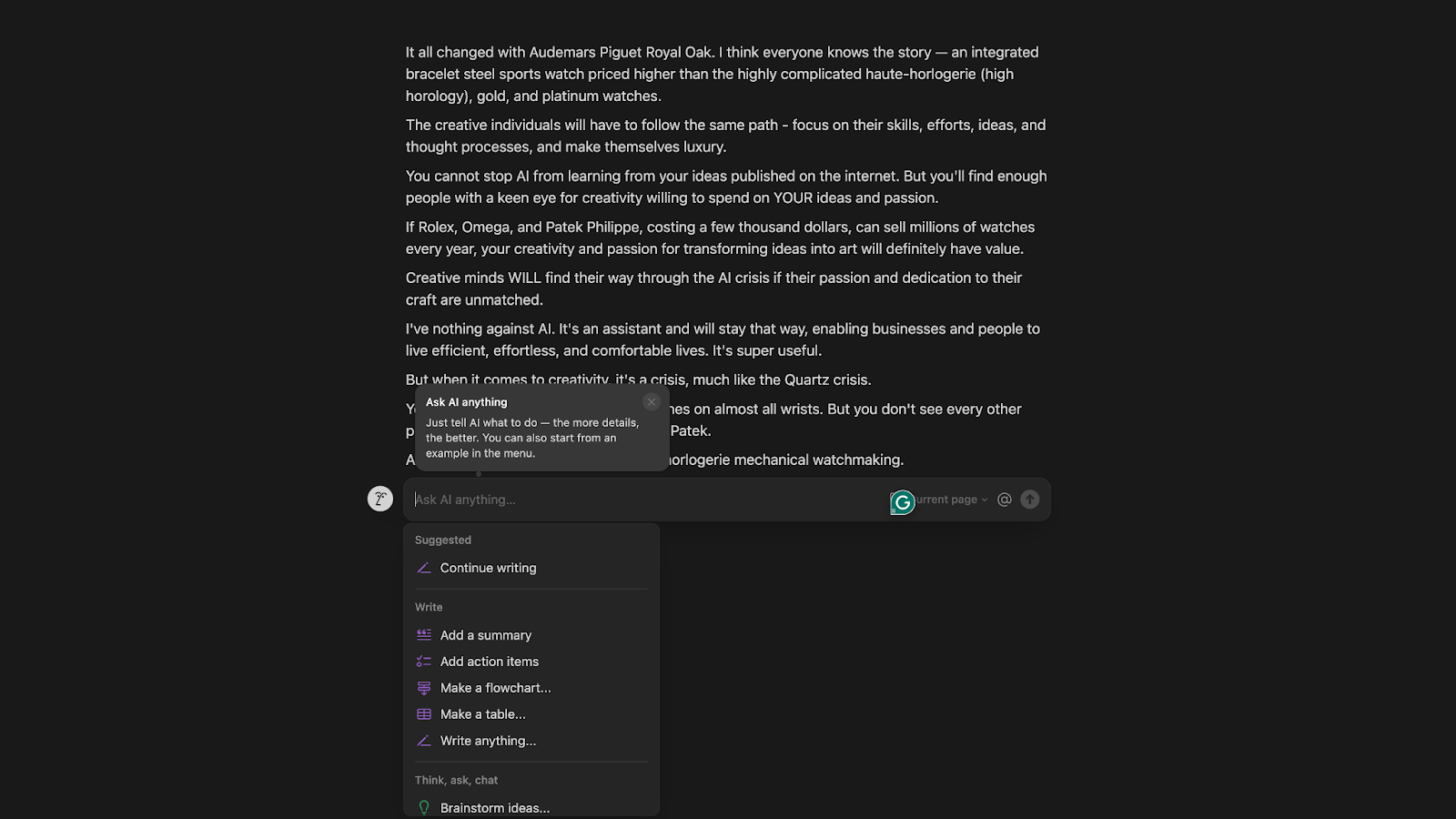
It’s also great for structuring chaotic information. I had a document full of scattered research notes. I asked Notion AI to create action items and tag key takeaways, giving me a clean list from which I could work. Stuff like that saves time.
However, Notion isn’t a complete content tool. It won’t replace your blog writing stack. It shines when you’re already in Notion and need a little push to move faster or think clearly.
Key features
- In-line AI writing, editing, and summarization
- Task list generation and action item extraction
- Q&A on existing Notion docs and databases
- Brainstorming tools for quick idea dumps
- Works across notes, wikis, databases, and calendars
Pros
- Seamless if you already live in Notion
- Great for cleaning up messy docs and notes
- It makes internal communication and planning faster
Cons
- Not suited for long-form content creation
- Lacks formatting controls during AI output
- Can get repetitive if overused on the same doc
Pricing
- Limited Notion AI trial on Free and Plus plans
- Notion Business/Enterprise plans have it baked in, with prices starting from $24/user/month
5. Grammarly – best for real-time writing feedback and tone correction
Grammarly quietly makes sure your writing doesn’t suck. Whether it’s a Slack message, a sales email, or a LinkedIn post, it catches the stuff that you miss while writing –– awkward phrasing, accidental typing errors, and weird tone shifts.
Grammarly can now tell you if your message sounds too blunt, overly formal, or unclear. Thanks to those nudges, we’ve caught ourselves softening cold emails or tightening up blogs. It’s also good at catching passive voice and vague language, which creeps into copy more than most people realize.
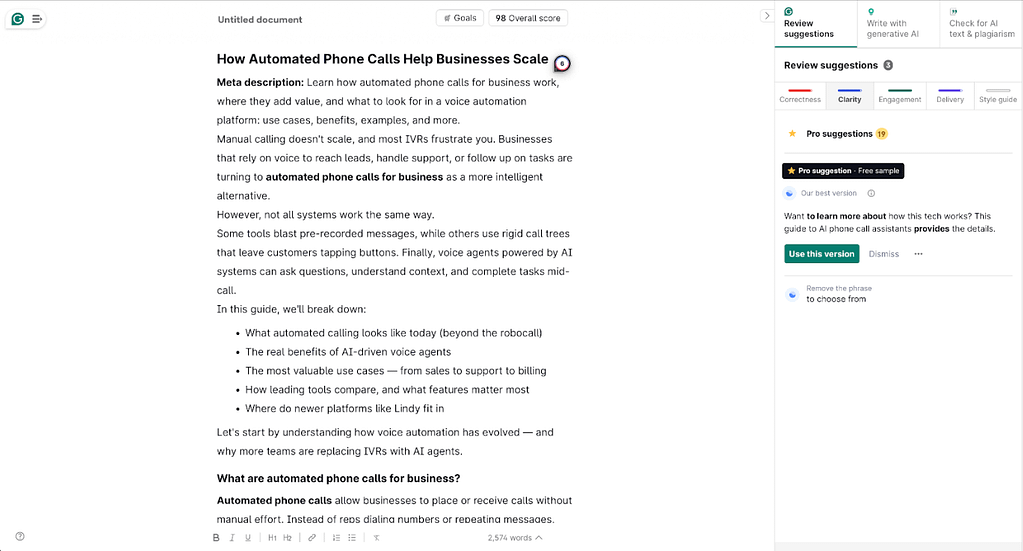
They’ve added generative features too — you can rephrase, shorten, or expand sentences. But I don’t use it as a writing tool like I’d use Jasper or ChatGPT. Since the AI text generator isn’t as good as Claude or ChatGPT, I treat it like my proofreader and editing assistant.
It’s also cross-platform, so it works inside Google Docs, Gmail, Slack, and Notion — wherever you type. It invisibly works in the background, and that makes it so effective and unobtrusive.
Key features
- Real-time grammar, spelling, and punctuation checks
- Tone detection and rewrite suggestions
- Rephrasing, summarizing, and shortening tools
- Works across desktop apps, browsers, and mobile
- Weekly performance reports and writing insights
Pros
- Polishes your writing without changing your voice
- Great for teams that send a lot of external communication
- Highly valuable for content teams
Cons
- Not a complete content creation tool, more of a refinement layer
- Suggestions can feel repetitive for advanced writers
- Paid tiers can be expensive if you’re only using the basics
Pricing
- Free plan: Basic grammar and spelling
- Pro: $30/month, billed monthly
- Enterprise: Custom pricing
6. ChatGPT – best for all-purpose brainstorming, writing, and logic-based tasks
ChatGPT is a generalist AI platform. With GPT-4o, it’s finally fast, intelligent, and intuitive enough to act like a co-pilot for actual work, whether drafting copy, debugging code, helping with outlines, or parsing a spreadsheet.
It helps me think about a topic like a second brain. We’ve used it to summarize long meeting notes, draft cold emails, and even role-play customer objections for sales training. GPT-5 can now understand images, charts, and voice inputs, making it smarter than older versions.
We even created our custom GPT –– our ghost-writer. We uploaded all the resources, guidelines, and references to dial in our writing style. Now, we use it to create the first drafts. We also created projects keep everything organized.
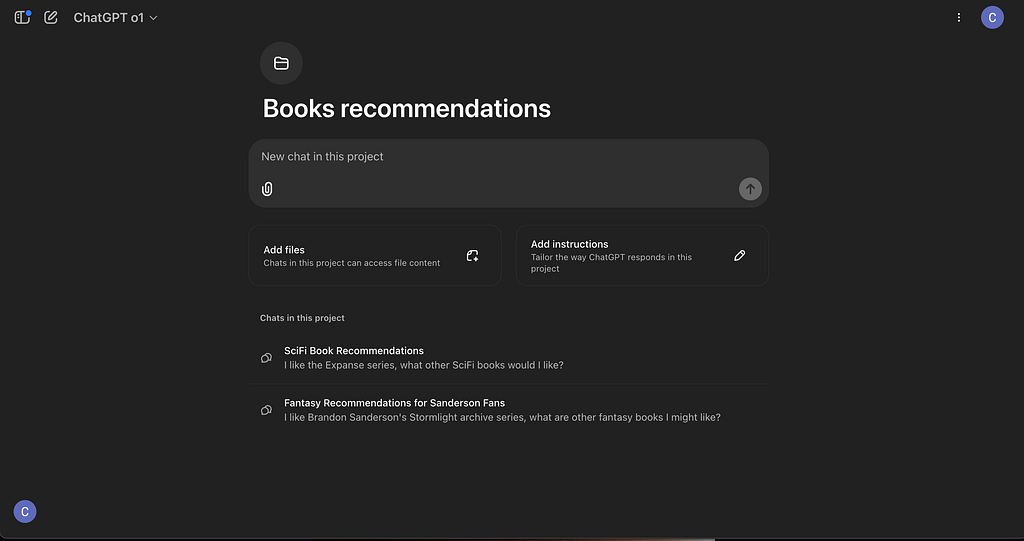
It can now interpret code, search on the web, read files, and analyze images — all in one chat. You don’t need to toggle between apps to ask it to explain a CSV, pull data from a URL, or turn it into a bar chart.
But it’s only as good as your prompts. If you’re vague, it’ll be vague. If you’re specific, it’ll deliver. It’s competent, but it still needs direction.
Key features
- Powered by GPT-4o (vision, voice, text, reasoning)
- Code interpreter, data analysis, and file uploads
- Real-time web browsing and image understanding
- Custom GPTs for specific roles or workflows
- Voice mode (now near-instant and natural)
Pros
- Super flexible — works across almost any domain
- Massive community and ecosystem (Custom GPTs, APIs, extensions)
- Fast, responsive, and genuinely useful for daily tasks
Cons
- Requires prompt clarity — it’s not always plug-and-play
- Still not great at real-time collaboration or shared workflows
- Some advanced tools are gated behind paid plans
Pricing
- Free: GPT-3.5 access
- Plus: $20/month for GPT-4o
- Enterprise: Custom pricing
7. Claude – best for thoughtful writing, document reasoning, and context-heavy tasks
Claude, by Anthropic, focuses on reasoning and working with long contexts, making it great for things like contract analysis, structured writing, or reviewing long PDFs. Where ChatGPT is fast and flexible, Claude feels slower but more thoughtful, and in a good way.
You can attach entire files and ask questions like “What’s the clause about termination?” or “Summarize the key objections in this section.” It will cite specific phrases and give you precise and usable results.
Here, we tried creating a thought-leadership LinkedIn post. We gave it the topic, fed it some of the old LinkedIn posts, and asked it to create a draft that matched the writing style. The result was not in the direction we expected. But maybe that’s because our prompt didn’t specify it. Overall, the first draft was impressive.
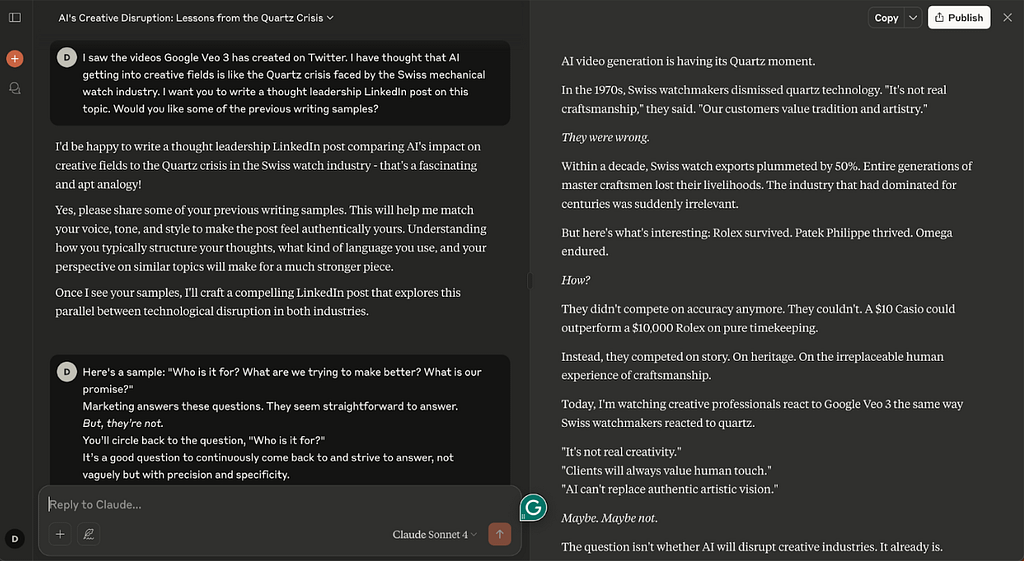
The writing style is also more balanced. Claude writes in a neutral, helpful tone — less robotic than GPT-3.5 and more measured than GPT-4. This style is great for drafting internal documents, policy updates, or anything that shouldn’t sound like a marketing email.
It’s not perfect. It’s more conservative in its responses. But for analytical tasks, multi-document reasoning, or writing with a calm, professional tone, Claude’s hard to beat.
Key features
- Handles up to 200k tokens (entire books or docs)
- File uploads with follow-up Q&A
- Context retention across long conversations
- API access and enterprise-grade security
- Claude 4 Sonnet is free, Claude 4 Opus available via Pro
Pros
- Excellent at deep reading, summarizing, and analysis
- Strong memory and structure in writing
- Free plan is highly capable
Cons
- More reserved than ChatGPT — sometimes overly cautious
- Doesn’t handle code or technical tasks as fluently
- Fewer plug-ins/tools — more of a pure assistant than a platform
Pricing
- Free: Claude 4 Sonnet with daily limits
- Pro: $20/month — includes Claude 4 Opus
8. Cursor – best for coding inside an AI-native IDE
Cursor is a complete code editor with AI assistance at every step. It’s easily one of the most productive environments for debugging sessions, refactoring sprints, and even building small prototypes. It’s ideal if you like VS Code and Copilot, but with AI capabilities.
You can highlight a block, ask what it does, tell it to refactor, add comments, or rewrite it for a different framework. It won’t just spit out suggestions, but it modifies your project files, so you’re not copy-pasting snippets from a sidebar. There’s a tight feedback loop between writing, editing, and testing.
We tried a simple prompt –– generate the schema markup code for a blog with the primary keyword “AI platforms”. Here’s the output it gave us:
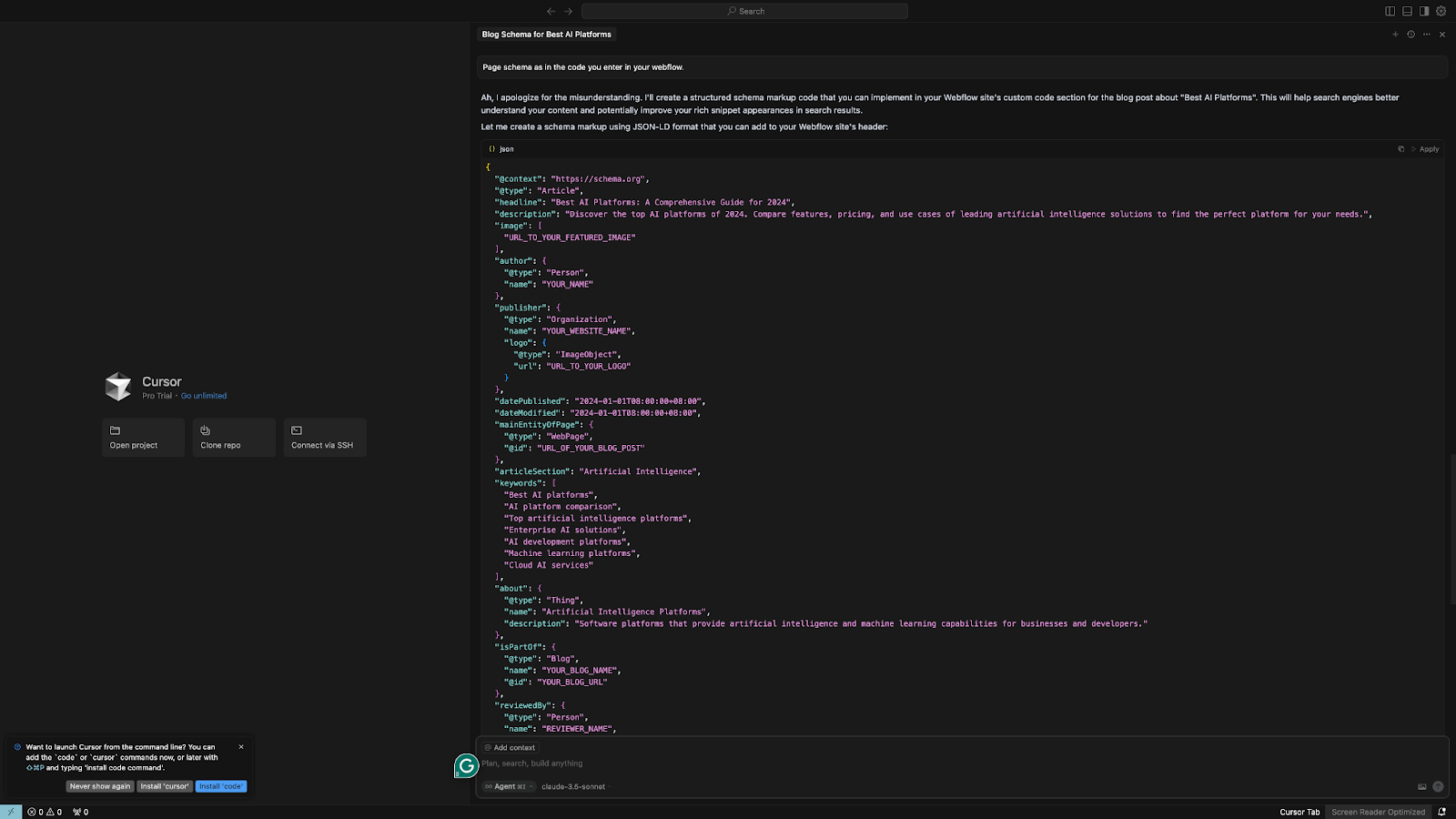
It also understands context way better than older tools. Cursor will read your entire codebase, not just the file you’re in, and you can ask questions like “Where is this function used?” or “Why is this throwing an error?” and get answers that pull from parts of your repository.
For solo devs and small teams, it’s like having a senior engineer overlooking you, but without the Slack back-and-forth. And if you’re working in a stack like React, Node, or Python, it can help you create some of the best AI websites.
Key features
- AI assistant baked into your IDE
- Reads your whole codebase and updates files directly
- Smart suggestions for bug fixes, refactoring, documentation
- Built-in chat for asking project-specific questions
- Supports popular languages and frameworks
Pros
- Feels more “developer-native” than GitHub Copilot
- Real context awareness across your entire repo
- Great for exploring legacy code or onboarding into new projects
Cons
- Still evolving — not as stable or battle-tested as VS Code
- Limited to dev work — not useful outside engineering workflows
- You need a decent setup and permissions for full repo indexing
Pricing
- Free: Limited usage, 2000 completions
- Pro: $20/month, increased usage limits, better context window
9. Synthesia – best for turning scripts into polished videos with AI avatars
Synthesia lets you generate a clean, studio-style video in minutes using AI. All you need to do is write a script and choose an AI avatar. It’s for teams who want to create a video, but don’t want to deal with cameras, voiceovers, or editing timelines.
We’ve used it for product demos, internal explainers, onboarding videos, and sales pitches. Instead of creating boring decks, we create an explainer video about the product. It’s invaluable for sales pitches or product demos and don’t have time to record takes or hire a video team.
Here’s what the editing space in Synthesia looks like:
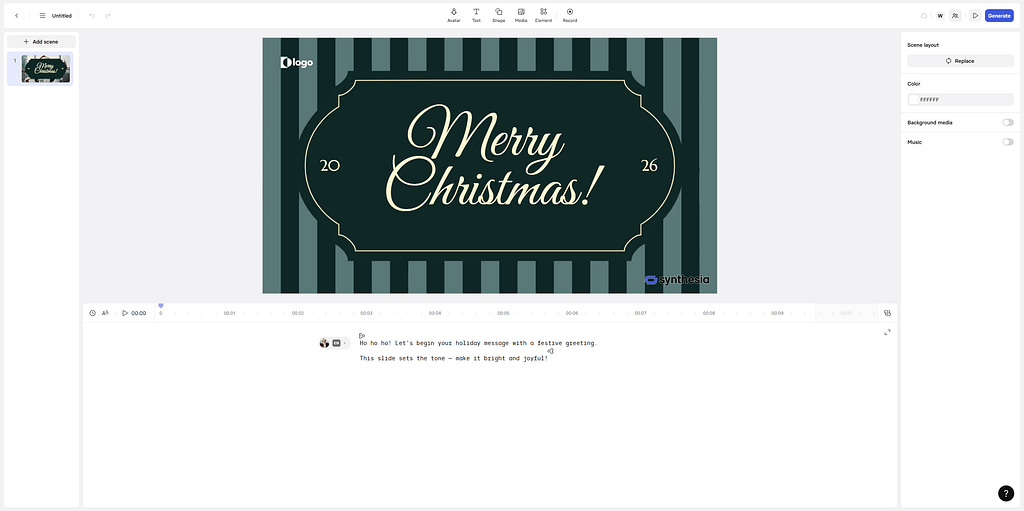
The avatar quality is life-like, and the voice synthesis has dramatically improved. You can choose different accents, tones, and pacing, and add multiple languages. And if you want branding, it supports logos, custom backgrounds, and screen overlays.
This isn’t a full video editor like Descript or Premiere. It’s more like a video assembly line. You give it text, pick your look, and it creates a polished piece you can drop into an email, LMS, or landing page.
Key features
- 180+ AI avatars and 120+ languages
- Custom avatars for your team or brand
- Drag-and-drop video editor (basic overlays, visuals, slides)
- Script-based creation — no filming or audio needed
- Templates for demos, training, support, HR, and more
Pros
- Super-fast way to create video content
- It doesn’t require any filming, gear, or editing skills
- Supports multi-language and localization use cases
Cons
- Not ideal for dynamic or emotional storytelling
- Limited animation and camera movement
- Avatars still feel a little “robotic” in casual content
Pricing
- Starter: $29/month, billed monthly — 10 mins of video/month
- Creator: $89/month, billed monthly — 180+ avatars, 30 mins of video/month
- Enterprise: Custom pricing
10. Lindy – best for automating complex workflows with custom AI agents
If you want to go beyond simple AI chatbots and offload work, Lindy is where some would start. It’s an AI automation platform where you can build custom AI agents, called Lindies.
These agents can handle everything from sending emails and following up with leads to making phone calls, logging CRM data, or managing internal operations like summarizing meetings or sorting inbox attachments.
Lindy is incredibly easy to use. You can set up complex automation, trigger actions across apps like Slack, Gmail, HubSpot, Salesforce, and more, and create conditional workflows that behave differently based on context.
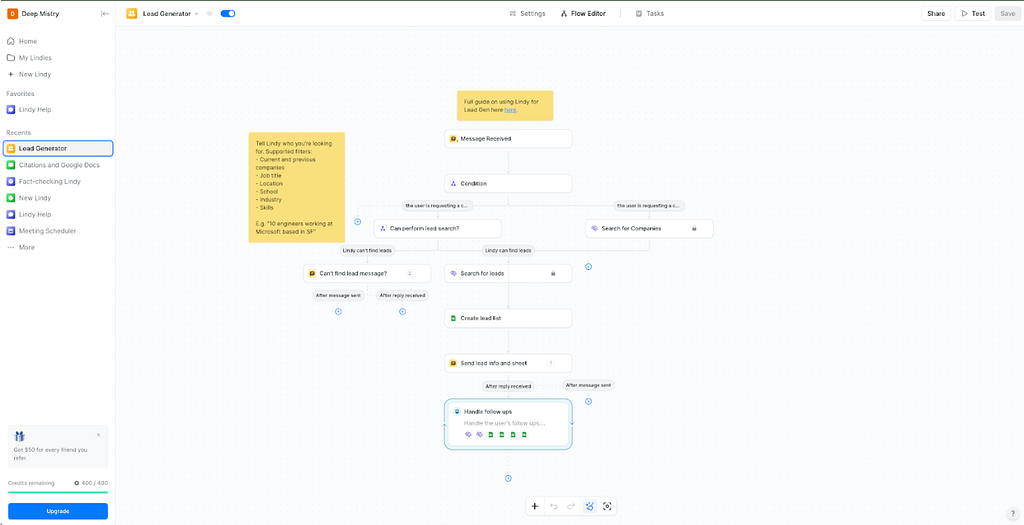
If your team spends time on repeatable processes like sales ops, customer support, or internal handoffs, this tool provides the most value.
Key features
- No-code builder for multi-step automations
- Voice agents for inbound/outbound calling
- Email, CRM, calendar, file, and Slack integrations
- Custom conditions, loops, and handoffs between Lindies
- 2500+ integrations via Pipedream partnership + API support
Pros
- Logic and control without dev work
- Agents feel personalized and task-specific
- Pricing is transparent and scales by usage
Cons
- There is a slight learning curve if you’re used to simple chatbots
Pricing
- Free plan: 400 credits/month
- Pro plan: $49.99/month, 5,000 credits
- Business and Enterprise tiers with advanced features and priority support
- Voice calling starts at $0.19/min for GPT-4o agents
Leave a Reply